Customer.io
Customer.io is a messaging automation platform. It has no built-in SMS channel for Interconnect-Solutions, but every Customer.io plan can call an external API with the Send and receive data action (also available as the Webhook channel in broadcasts).
This guide shows how to send SMS from a Customer.io campaign, broadcast or transactional message through the Interconnect-Solutions API, and how to receive delivery reports back.
| Direction | How it works |
|---|---|
| Customer.io → Interconnect-Solutions | POST webhook action with a JSON body where type is sms |
| Interconnect-Solutions → your system | Delivery report to the URL you pass in the hook parameter |
Before you start
- An active Interconnect-Solutions account with Activate API enabled — see API settings.
- An API key (step 1 below).
- A sender name — the alphanumeric signature your subscribers see instead of a phone number (3 to 11 Latin letters and digits). Interconnect-Solutions does not use a "from" phone number.
- Customer.io profiles that contain a phone attribute in international format
(for example
+380971234567or380971234567).
Step 1. Create an API key
In the Interconnect-Solutions cabinet open Settings → API. The table lists your keys with their creation date, expiration date, state, comment and IP whitelist.
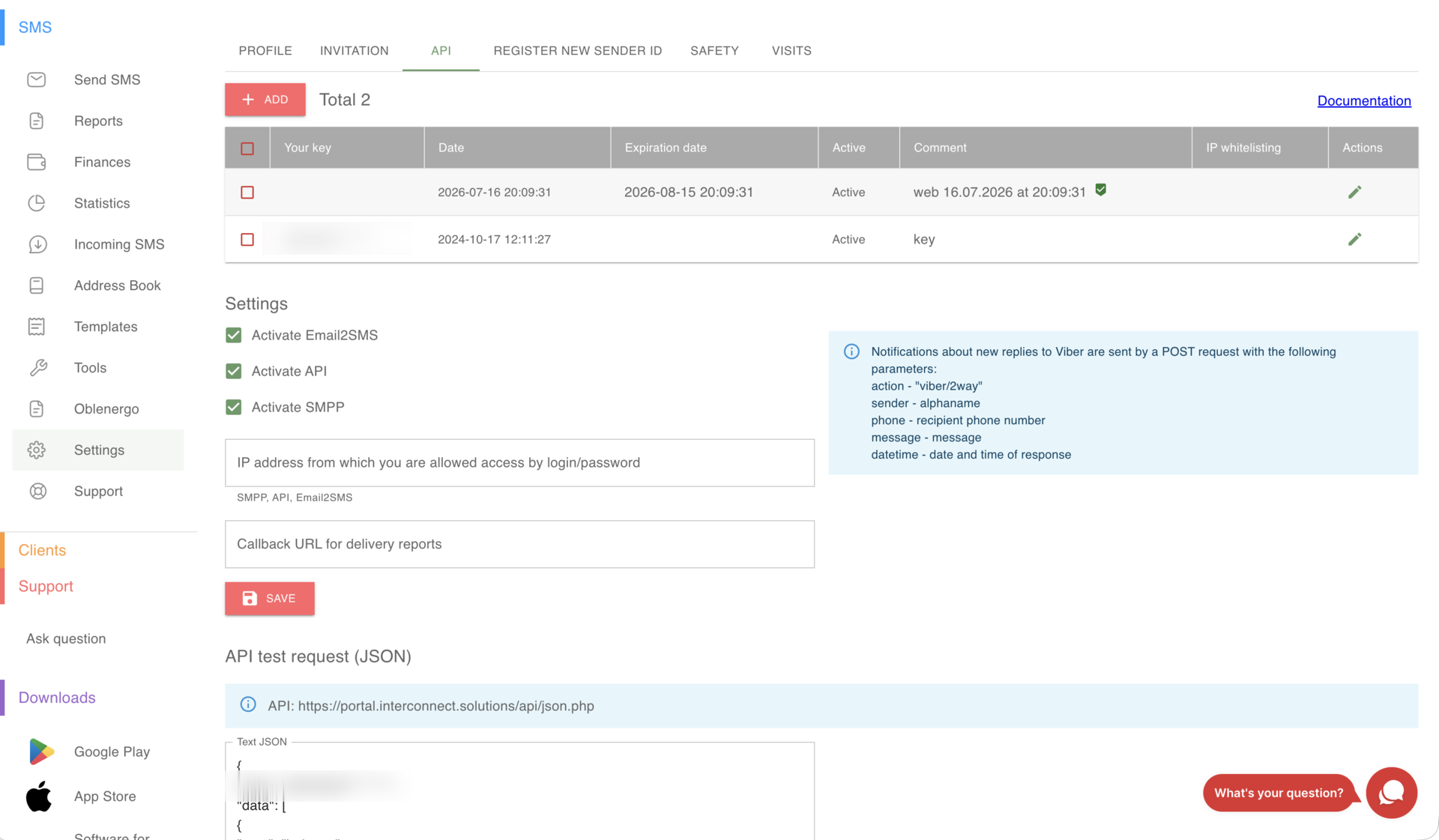
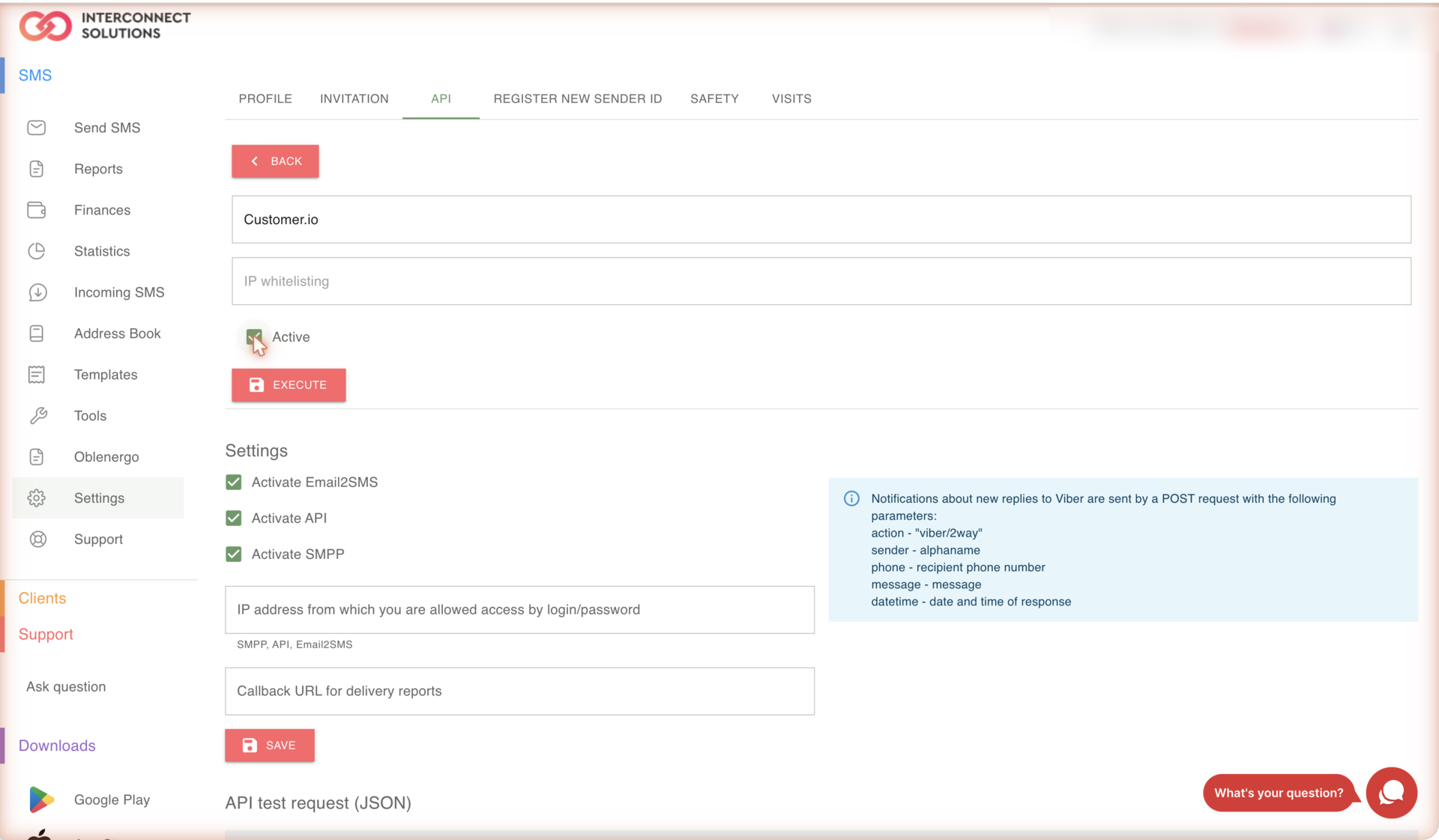
Click ADD, type a comment (for example Customer.io), tick Active and press EXECUTE.
The full key is displayed once, right after it is created. Copy it now — afterwards the table shows only the first characters of the key.
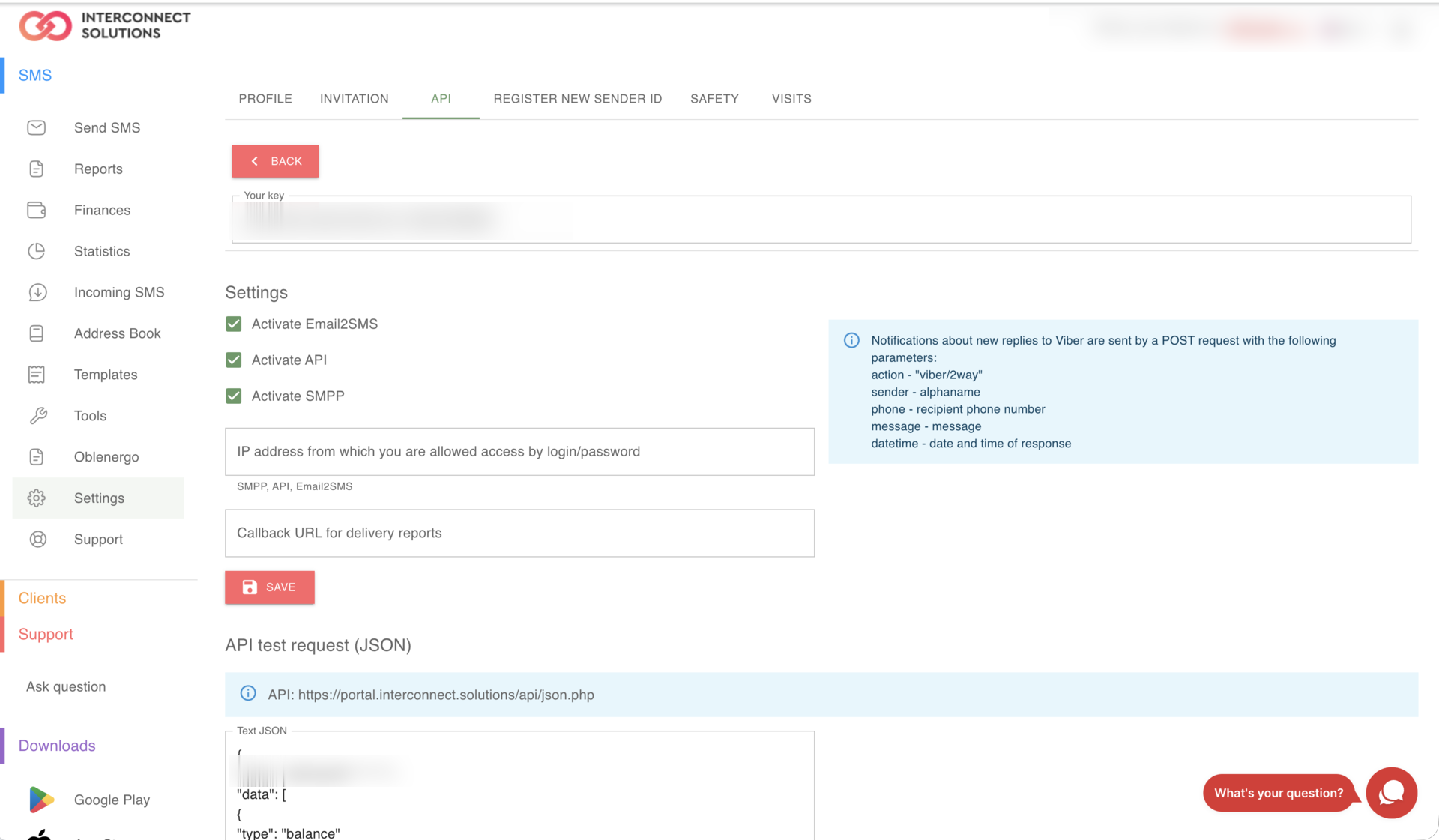
Leave IP whitelisting empty for a key used by Customer.io. Customer.io sends webhooks from a
large, changing pool of egress addresses, so a fixed IP list will start rejecting your traffic with
Access denied. Use a dedicated key for Customer.io instead, so that you can revoke it without
touching your other integrations.
Step 2. Choose the sender name
The sender name is passed with every message in sms_signature, so you can use a different one per
campaign — a brand name for marketing, a product name for transactional alerts. Names are handled
dynamically: you are not limited to a preset list, and a new name starts working as soon as you
send with it.
The only restrictions come from the destination network: some operators and countries accept alphanumeric senders only after registration, and may reject or replace an unknown name. Ask support to confirm the destinations your campaigns target.
The names already used on the account are listed in the cabinet — see Sender ID.
Step 3. Add the webhook action in Customer.io
- Campaign / journey — open the workflow, drag in the Send and receive data block and click Add Request.
- Broadcast — on the Content step choose the Webhook channel and click Add content.
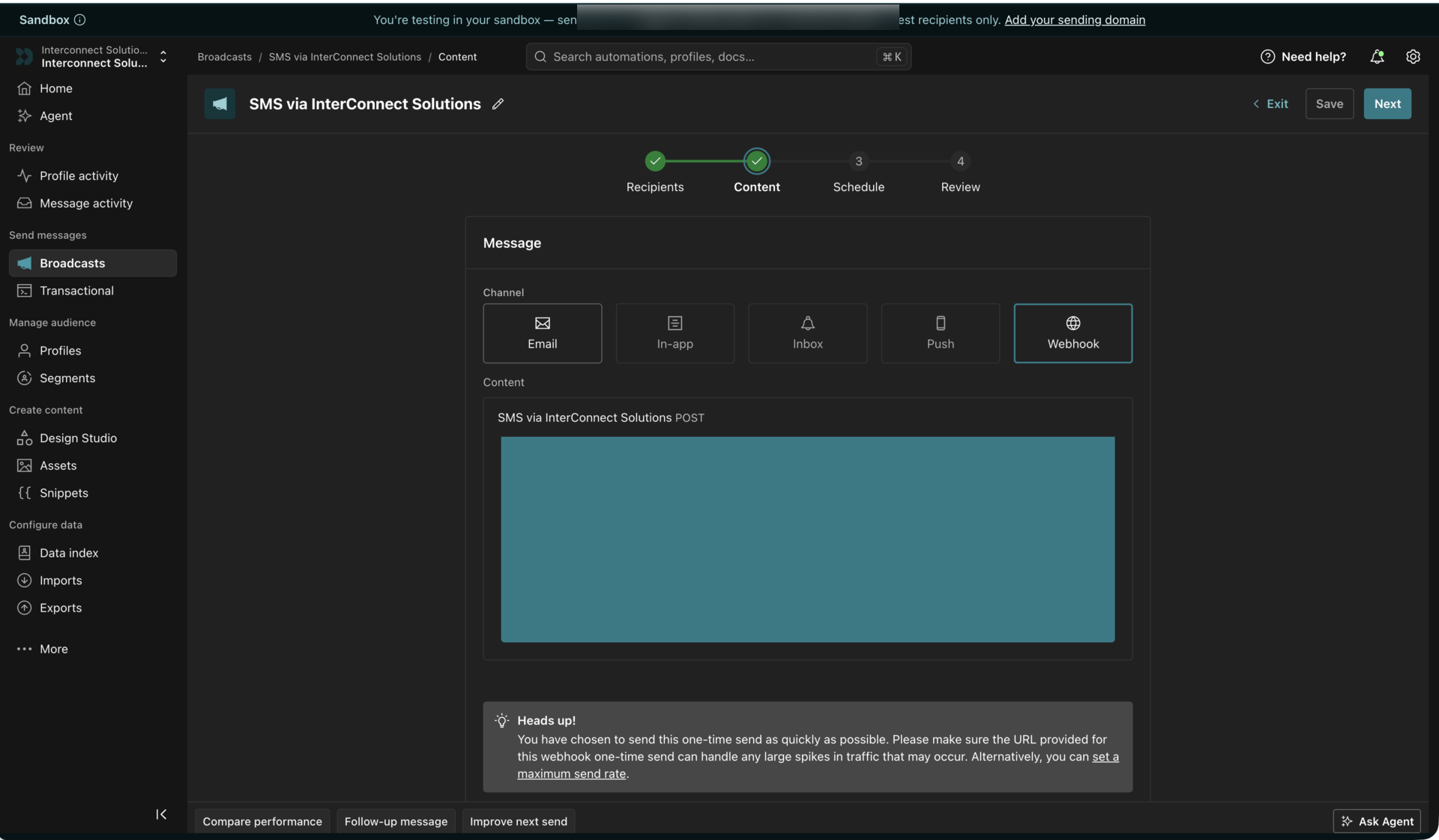
Configure the request:
| Field | Value |
|---|---|
| Method | POST |
| Request URL | https://api-async.interconnect.solutions/v1/json |
| Header | Content-Type: application/json |
Use this address for every message sent from Customer.io. The endpoint is asynchronous: it accepts the request into a queue and answers immediately, which is exactly what campaign traffic needs — Customer.io fires one webhook per profile, and a campaign easily produces hundreds of parallel requests.
Customer.io adds its own X-CIO-Idempotency-Key and X-CIO-Signature headers automatically. No
extra authentication header is required — the Interconnect-Solutions API is authenticated by the auth field
inside the request body.
Step 4. Build the request body
Paste the payload below into the body editor and replace YOUR_API_KEY and YOUR_SENDER_ID. The
right-hand Preview panel renders the Liquid against a sample profile, so you can see the exact
JSON that will be sent.
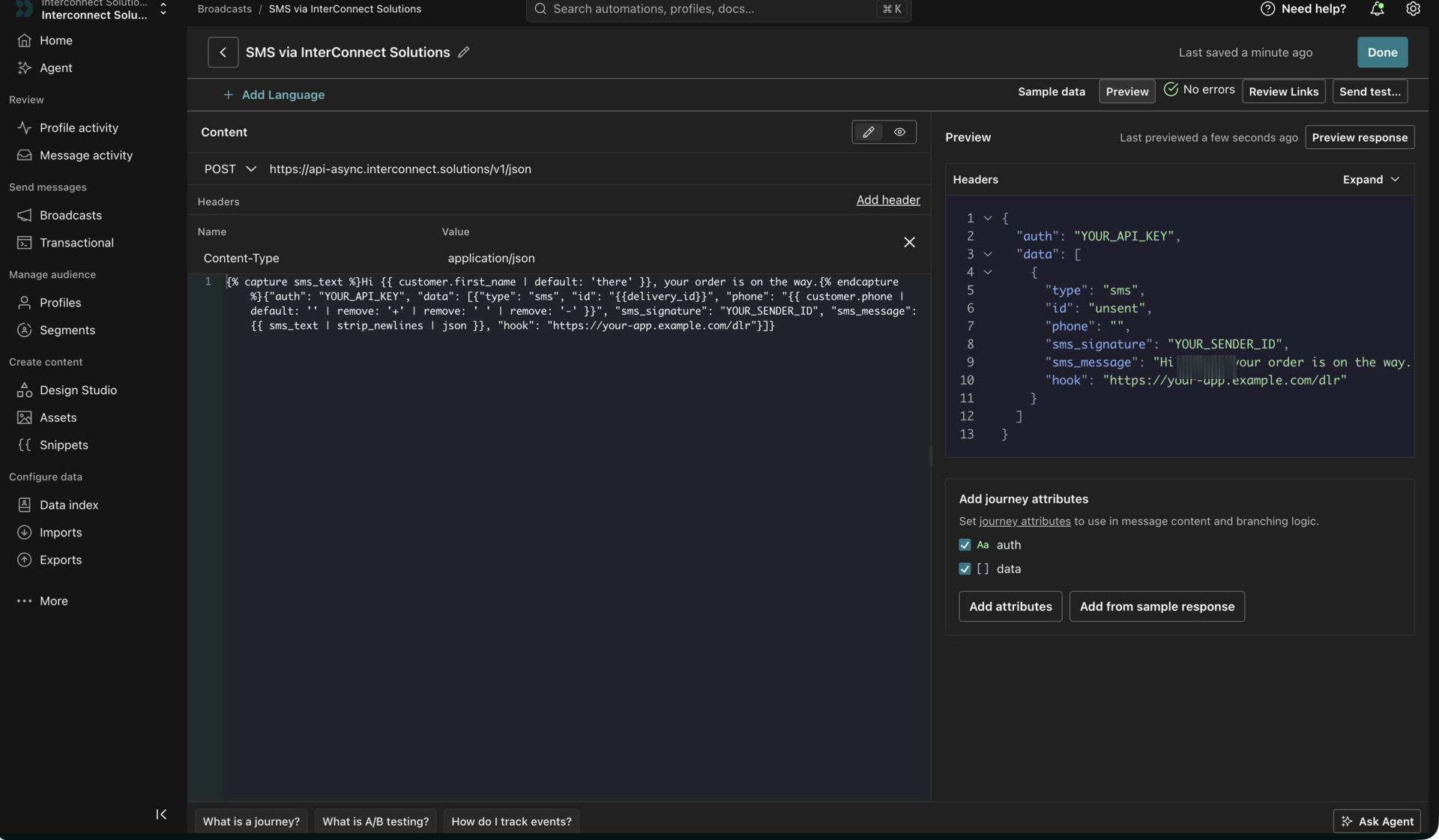
{% capture sms_text %}Hi {{ customer.first_name | default: 'there' }}, your order is on the way.{% endcapture %}
{
  "auth": "YOUR_API_KEY",
  "data": [
    {
      "type": "sms",
      "id": "{{delivery_id}}",
      "phone": "{{ customer.phone | default: '' | remove: '+' | remove: ' ' | remove: '-' }}",
      "sms_signature": "YOUR_SENDER_ID",
      "sms_message": {{ sms_text | strip_newlines | json }},
      "hook": "https://your-app.example.com/dlr"
    }
  ]
}
| Parameter | Required | Description |
|---|---|---|
auth | yes | Your API key |
type | yes | sms. Other values enable Viber, RCS, WhatsApp and multichannel sending |
id | no | Your own message identifier, returned in every delivery report. {{delivery_id}} is the Customer.io identifier of this exact message instance |
phone | yes | Recipient in international format, digits only |
sms_signature | yes | Sender name |
sms_message | yes | Message text |
hook | no | URL that will receive delivery reports for this message |
sms_lifetime | no | Validity period in seconds, from 60 to 259200 (3 days) |
short_link | no | true shortens and tracks links in the text (according to the tariff) |
unsubscribe_link | no | true appends an unsubscribe link (according to the tariff) |
The full parameter list is documented in Send SMS.
{{delivery_id}}is empty in the composer preview (it showsunsent) and is filled in at send time. Keep it — the value must be unique for every message: a repeatedidis treated as a duplicate and the message is not sent.- Wrap the text in a
captureblock and output it with thejsonfilter. The filter adds the surrounding quotes and escapes quotes, backslashes and control characters, so emojis, apostrophes and line breaks in customer data cannot break the JSON. - Do not use the
escapefilter on the message text — in Customer.io it percent-encodes the string (@becomes%40), and your subscribers will receive the encoded text. - Always add
| default: ''to attributes that may be missing. Customer.io treats an undefined variable as a composer error (undefined variable: customer.phone) and the request is sent with a broken body, which the API rejects. {{event.*}}variables exist only in event-triggered campaigns. In a broadcast or a segment-triggered campaign they raise the same undefined-variable error.- Send one message per profile. If you need to send to several numbers at once, add more objects to
the
dataarray.
Step 5. Read the response
The endpoint confirms that the batch was queued and returns the identifier of the request:
{
  "request_id": "cf-ray-1234567890-ABC",
  "success": true
}
Per-message identifiers are not part of this response — the message is still on its way to the
gateway. The request_id is repeated in every delivery report, so it is worth storing. In the
Response section of the webhook action click Add attributes and map:
| Journey attribute | Value |
|---|---|
sms_request_id | response.request_id |
sms_queued | response.success |
Problems with the request itself are reported with real HTTP status codes:
| Code | Meaning |
|---|---|
400 | Invalid JSON, or an empty / malformed data array |
401 | auth missing, empty or not accepted |
405 | Method other than POST |
413 | Request body too large |
415 | Content-Type is not application/json |
503 | Queue temporarily unavailable |
Customer.io retries 408, 409, 429 and 5xx responses up to 11 times over about an hour, so a
short 503 heals itself. A 400, 401 or 415 is a configuration error and will not be retried —
watch for those in the campaign metrics after you go live.
An accepted message can still be rejected when the gateway processes it. The reason appears in the delivery report and in Reports → API in the cabinet:
| Reason | Meaning |
|---|---|
Error in Alpha-name | The sender name is not allowed on this route or by this operator |
Not enough money | Insufficient balance |
Duplicate ID | The id value was already used by this account — it must be unique |
Please enter valid receiver phone number | Empty or malformed phone |
Receiver blacklisted | The number is in your black list or has unsubscribed |
SMS is too long | The text exceeds the maximum message length |
Operator not supported | No route to this operator |
Step 6. Receive delivery reports
Every message that carries a hook parameter produces a POST request to that URL each time its
status changes. This is where the final outcome of a send appears, so configure it before launching
a campaign.
{
  "id": "01HB…",
  "msg_id": 123456789,
  "type": "sms",
  "status": "DELIVERED",
  "updated": "2026-08-10T12:34:56+03:00",
  "request_id": "cf-ray-1234567890-ABC"
}
id— the value you sent in the request (the Customer.iodelivery_idin the payload above), which is how you match a report to a message.msg_id— the identifier assigned by the gateway.updated— the moment the status changed,YYYY-MM-DDThh:mm:ss±hh:mm.request_id— the identifier of the request that carried this message (asynchronous endpoint).
The request is signed: the X-Signature header contains sha256(json_body + api_key), computed
with the same key that sent the message. Reject requests whose signature does not match.
$body = file_get_contents('php://input');
if (!hash_equals(hash('sha256', $body . $apiKey), $_SERVER['HTTP_X_SIGNATURE'] ?? '')) {
    http_response_code(403);
    exit;
}
Answer with HTTP 200. Statuses are listed in Message statuses;
the most common ones are ACCEPTED, QUEUED, DELIVERED, UNDELIVERABLE, EXPIRED, REJECTED.
An account-wide callback URL can also be set in Settings → API → Callback URL for delivery reports; it applies to all messages of the account. Details: Webhook.
Step 7. Test and go live
- Click Send test… in the composer and confirm the request. The response is shown in the Preview panel — this is a real request, so a valid key will really send an SMS.
- Check the result in the cabinet: Reports → API shows the message, its price and its status.
- Switch the action to Send automatically (campaigns) or finish the broadcast wizard.
- There is no fixed request-per-second limit. If you plan bursts of tens of thousands of messages, tell support in advance so the throughput of the account can be reviewed.
- Customer.io aborts a webhook after 16 seconds. Our API answers well inside that window.
- Add a filter on the phone attribute (for example phone exists) to the trigger or audience of the campaign, so profiles without a number never reach the webhook.
Other channels
The same webhook action can send Viber, RCS, WhatsApp or a voice call, and can chain them as a
fallback — for example Viber first and SMS only if Viber was not delivered. Change type and add
the channel parameters:
type | Result |
|---|---|
viber | Viber message |
viber+sms | Viber with SMS fallback |
rcs+sms | RCS with SMS fallback |
voice | Voice call |
hlr | Number lookup — operator, roaming and portability, without sending a message |